Pyramid


What's the Game All About?
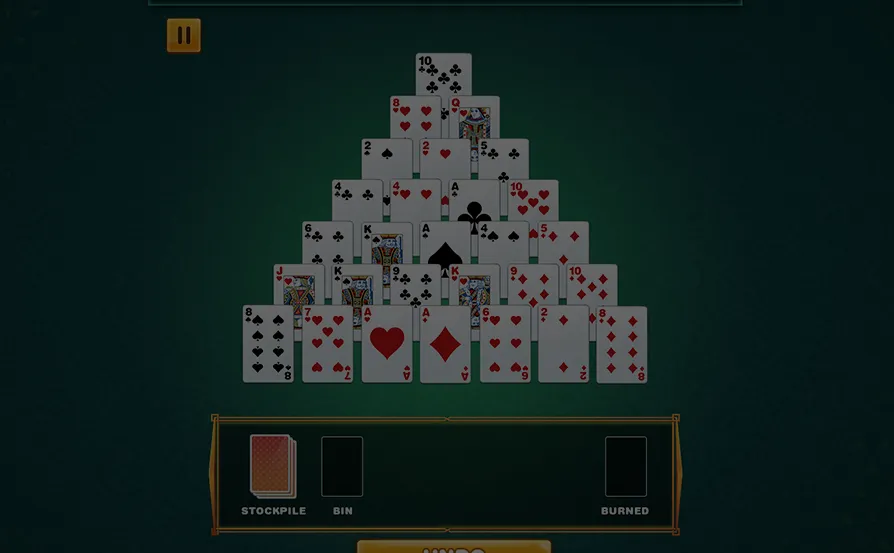
Immerse yourself in the challenging world of card matching with our points-scoring game. Unlike traditional betting games, this experience focuses on skillful play as you aim to clear a pyramid of 52 cards. The goal is to strategically match pairs of cards whose ranks add up to 13, with Kings offering a convenient shortcut. How fast can you clear the pyramid in the least number of moves?

How it works


- Click "Play Now" to start the card-matching adventure.


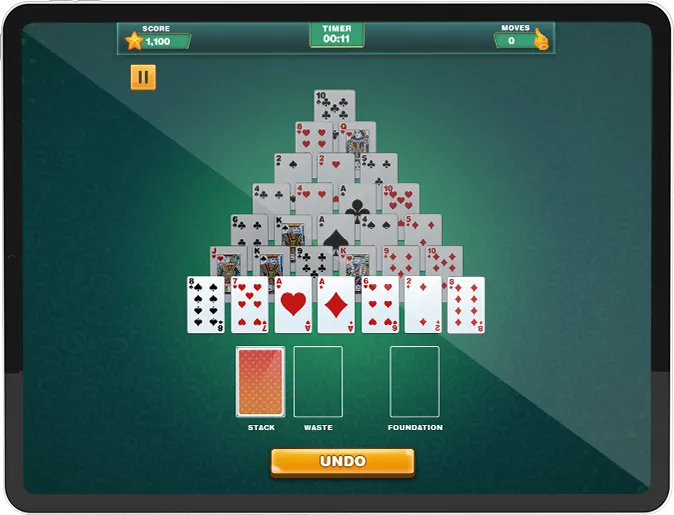
- Beginning with the first row and the Stack, pair any 2 cards with a total rank equaling to 13.


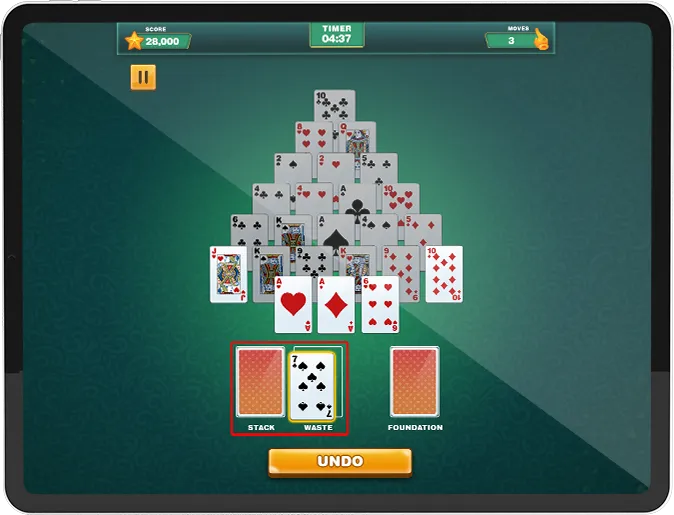

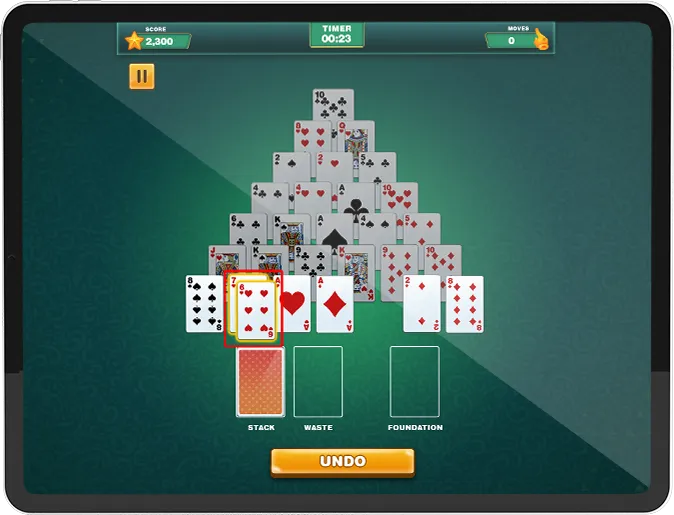
- Click/tap and drag cards to match, or tap individual cards for highlighting and then tap the second card to pair.


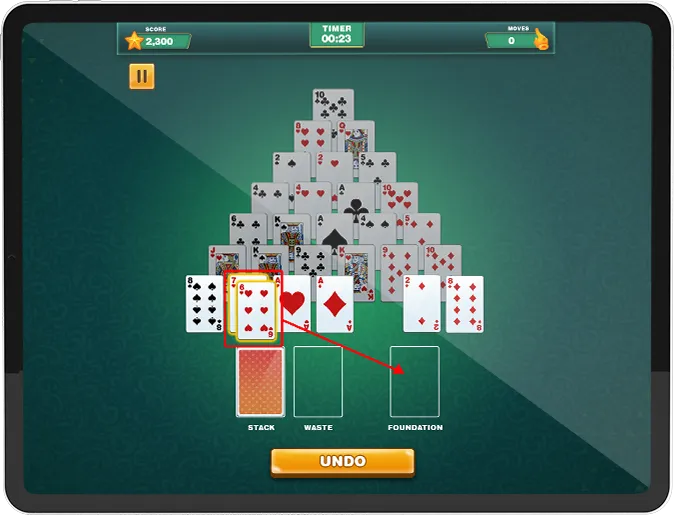

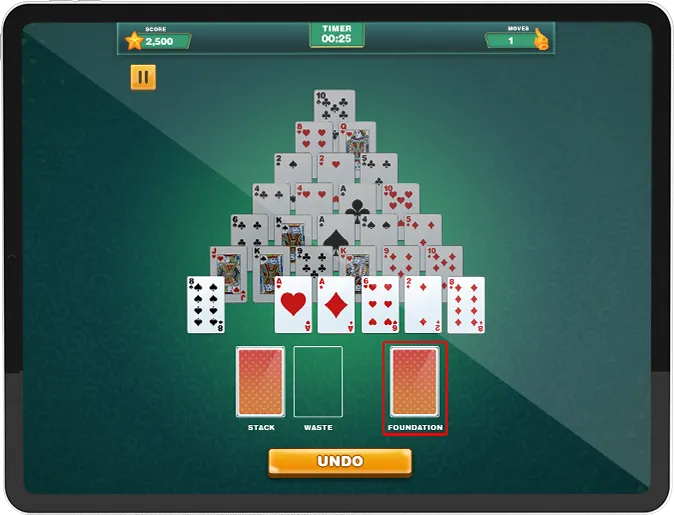
- Once cards are paired they will be moved to the 'Foundation' pile.


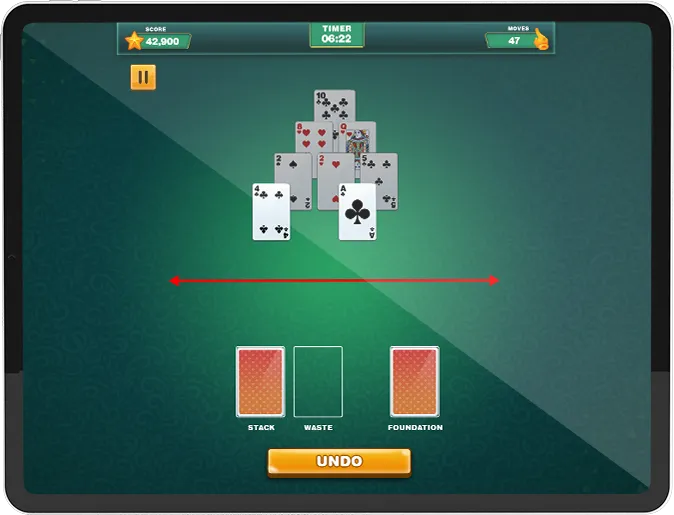

- Clear gaps to make the next row clickable and continue the matching process.


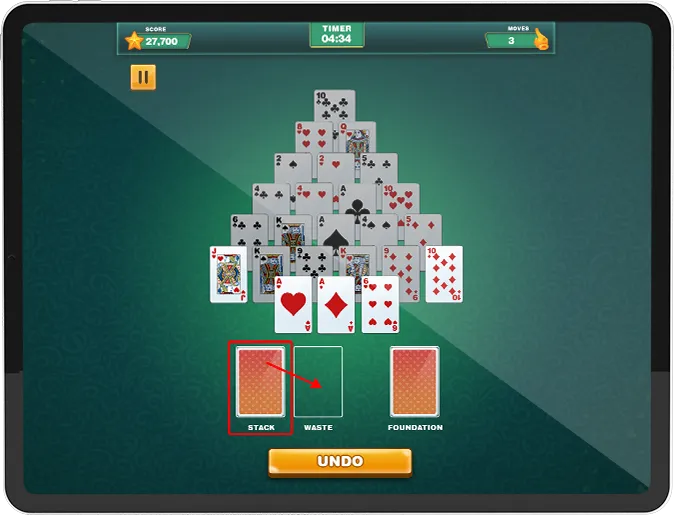

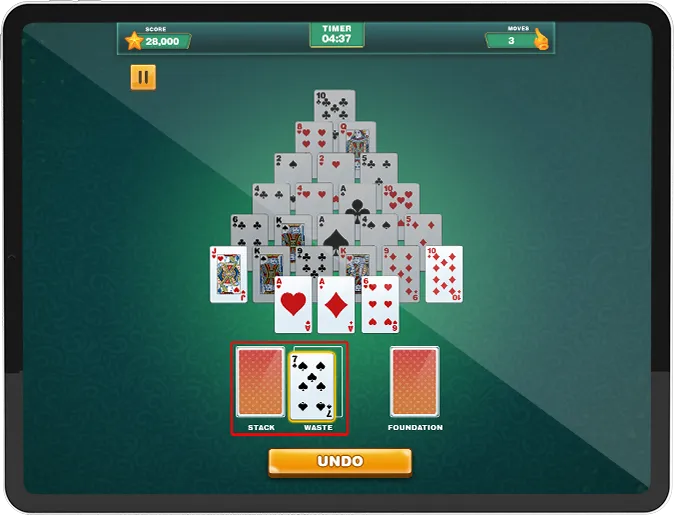
- Select a card from the Stack to match it with another in the pyramid. A card in the Stack can also be moved to the Waste pile. This will reveal a new card in the Stack.


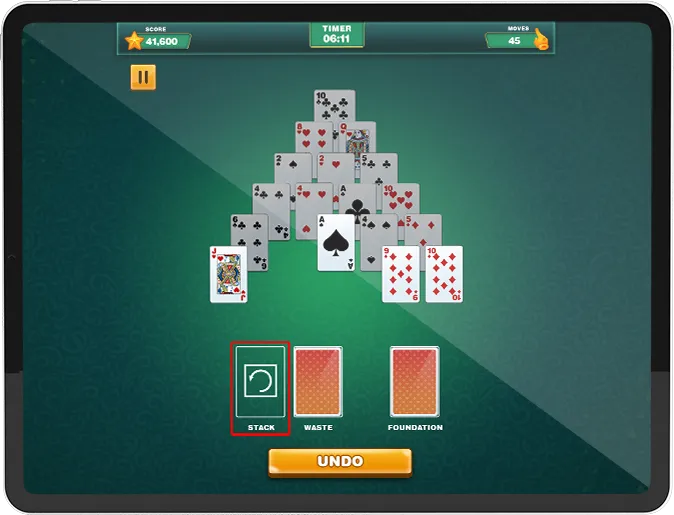
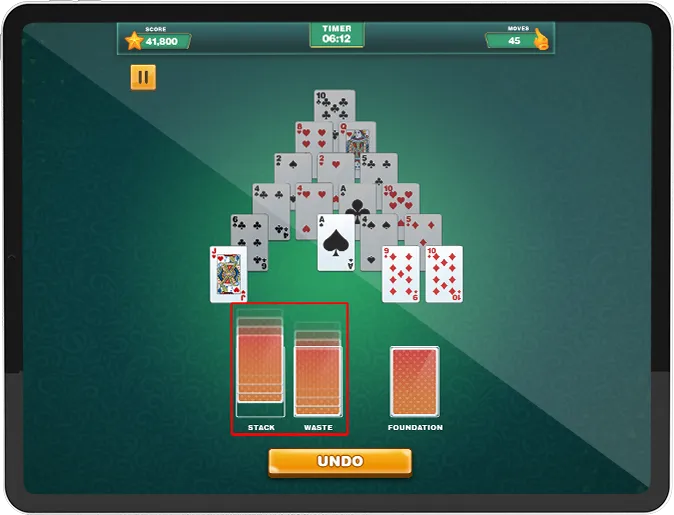

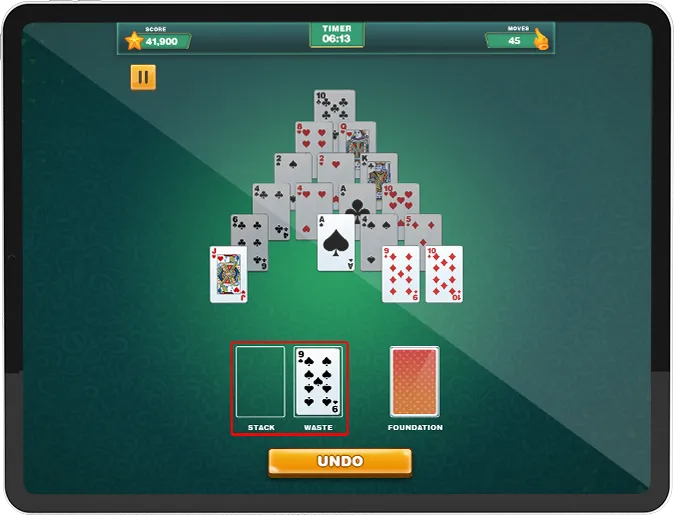
- Once the Stack is exhausted, click to reset and return all the cards from the Waste pile back.


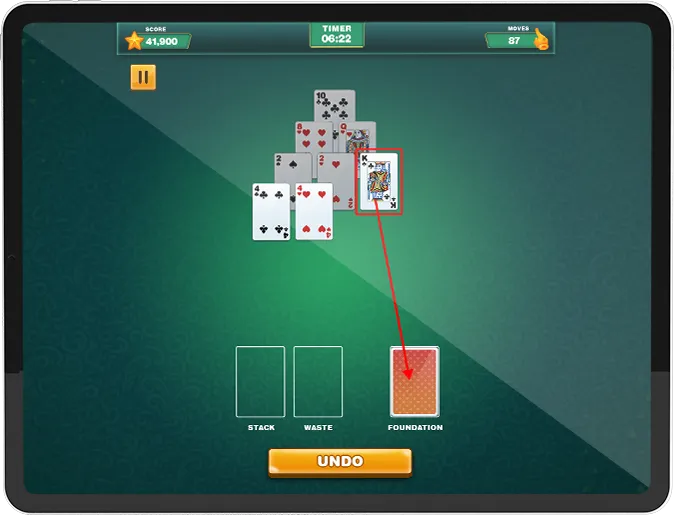

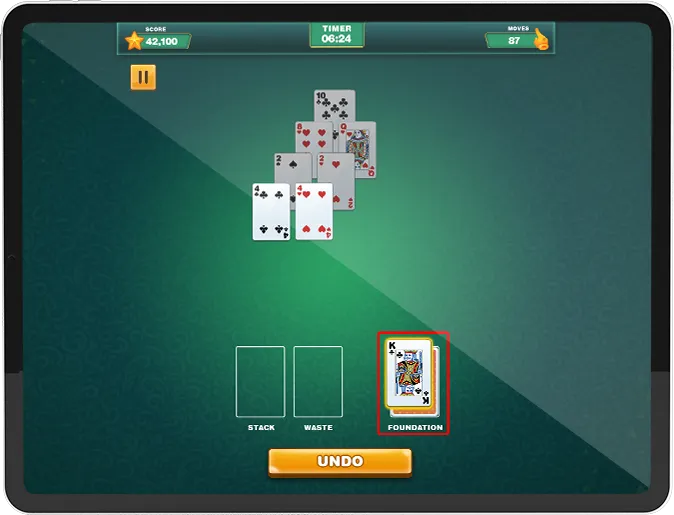
- A Kings rank equals to 13 so this can be automatically moved to the Foundation pile without needing to be paired with another card.


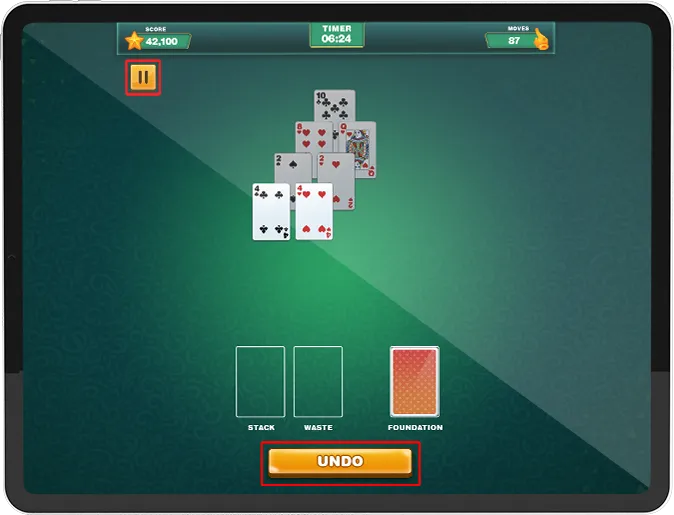
- Undo - provides users with the ability to reverse their most recent move
- Pause Button offers options like Resume, How to Play and Home.
- Track your performance with real-time updates at the top of the screen:
- Score,Timer and Moves.


- The game will end when the player has no possible moves remaining or when the pyramid has been cleared.


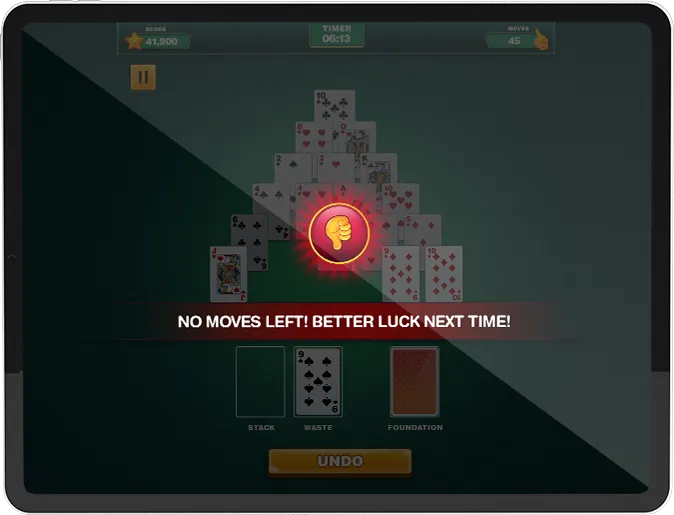
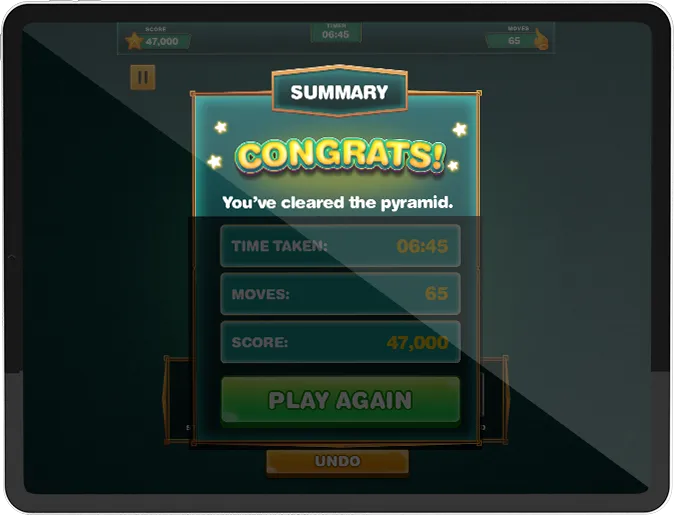

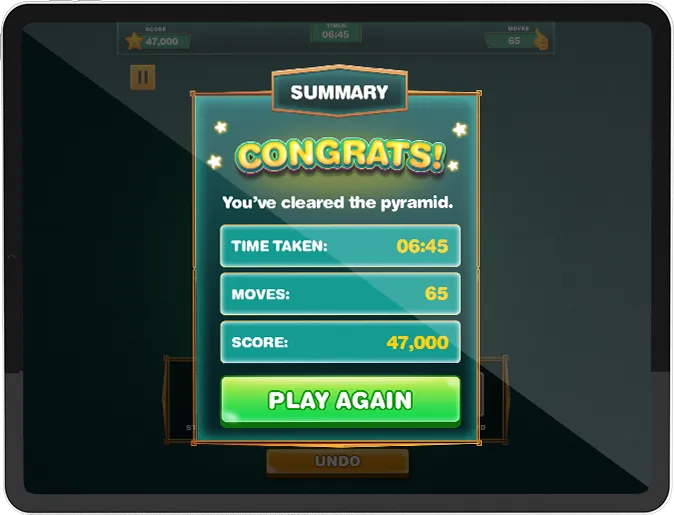
- At the conclusion, a Game Summary will show the user their Time Taken, Moves Made, Total Score and a Play Again button.
Game Expectations
-
Strategic Card Play
- Exercise your mind with strategic card pairing to clear the pyramid efficiently.
-
 Timed Challenge
- Keep an eye on the count-up timer and aim for the fastest completion with the least moves.
-
 Pyramid Mastery
- Experience the satisfaction of clearing the entire pyramid through skillful matching.
-
 Visual Appeal
- Enjoy a visually engaging interface with animations as cards move to the burned pile.

Jump into this exciting card-matching journey without the usual betting fuss! Clear a strategic pyramid by skillfully pairing cards to reach a total rank of 13. No hints—just strategic mastery! Join the fun now for an awesome card game experience!
-
Are hints available in the game?
-
What happens if I run out of moves during the game?
-
How is the total score calculated?
-
Can I undo my moves in the game?